

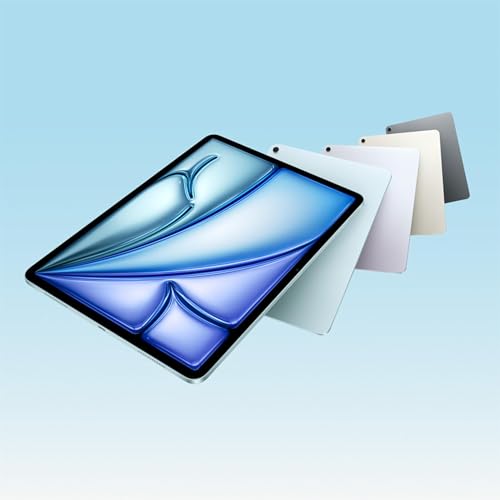
Comparing the iPad Air M4 vs iPad Air M3
カートのアイテムが多すぎます
カートに追加できませんでした。
ウィッシュリストに追加できませんでした。
ほしい物リストの削除に失敗しました。
ポッドキャストのフォローに失敗しました
ポッドキャストのフォロー解除に失敗しました

Comparing the iPad Air M4 vs iPad Air M3
-
ナレーター:
-
著者:
概要
Hello everyone, welcome back to ManhHao Podcast
In this episode we’re doing something practical. Not flashy. Not dramatic. Just a real-world question:
If you bought the iPad Air M3 last year…
is the iPad Air M4 enough of an upgrade to matter?
Because on the outside? They look identical.
Same slim 6.1mm aluminum body.
Same 11-inch and 13-inch options.
Same Liquid Retina display with 500 nits on 11-inch and 600 nits on 13-inch.
So where’s the difference?
Let’s start with performance.
The M3 chip was already fast. For students, creators, casual editing, multitasking — it handled everything smoothly.
But the M4 steps things up by around 30% in overall performance, at least according to Apple. The CPU remains 8-core, the GPU 9-core, but the architecture improves efficiency and graphics processing.
What does that actually mean?
If you’re editing 4K video, working with large Photoshop files, or playing graphics-heavy games, you’ll feel smoother sustained performance. Hardware-accelerated ray tracing and mesh shading on the M4 also bring more advanced visual effects into reach.
But here’s the real shift: AI.
The M4 iPad Air jumps from 8GB to 12GB of unified memory — a 50% increase. That matters more than the raw chip speed.
Apple Intelligence features, background AI tools, subject detection, image cleanup — these need memory to sit and wait without forcing apps to reload.
With 8GB on the M3, the system manages.
With 12GB on the M4, it breathes.
If you’re someone who multitasks heavily or plans to keep your device for three to four years, that RAM bump is the quiet long-term advantage.
Now let’s talk connectivity.
The M3 supports Wi-Fi 6E and Bluetooth 5.3.
The M4 introduces Apple’s custom N1 chip with Wi-Fi 7 and Bluetooth 6. That means faster throughput, lower latency, and better stability — especially as Wi-Fi 7 routers become more common.
On the cellular side, the M4 uses Apple’s new C1X modem. It’s up to 50% faster in data performance and around 30% more power efficient compared to the M3’s modem.
So if you rely on mobile data often, this isn’t a small improvement.
And that’s where choosing the right version matters.
If you want maximum screen space for creative work, the iPad Air M4 13 inch becomes the sweet spot for productivity — especially paired with Magic Keyboard.
But if you work remotely, travel frequently, or need reliable high-speed data anywhere, the iPad Air M4 13 inch 5G configuration makes much more sense. The improved modem and network efficiency really show up in daily use.
Now, what hasn’t changed?
The display tech is still Liquid Retina IPS — no ProMotion here.
Both support Apple Pencil Pro and Magic Keyboard.
Both offer similar color options and ultra-thin design.
So visually and physically, they feel the same.
Which brings us to the big question:
Who should upgrade?
If you already own the M3 and your workload is light — browsing, note-taking, streaming — there’s no urgent reason to switch.
But if you’re a creator handling larger files, someone excited about on-device AI, or planning to keep your iPad long-term, the M4 version is clearly more future-proof.
It’s not a revolutionary redesign.
It’s a strategic upgrade:
More memory.
Stronger AI processing.
Faster Wi-Fi.
Better cellular efficiency.
And in 2026, those quiet upgrades matter more than flashy design changes.
So the choice isn’t about what looks newer.
It’s about how long you want your iPad to stay fast.
Thanks for listening. I’ll see you in the next episode.